As a management assistant or administrative user, you may have the corresponding permission for your role to book spaces on behalf of other users or for guests (Guest AAD account). In this case, you will have the following:
- The Book for Someone Else? option when booking from the Simple Booking page.
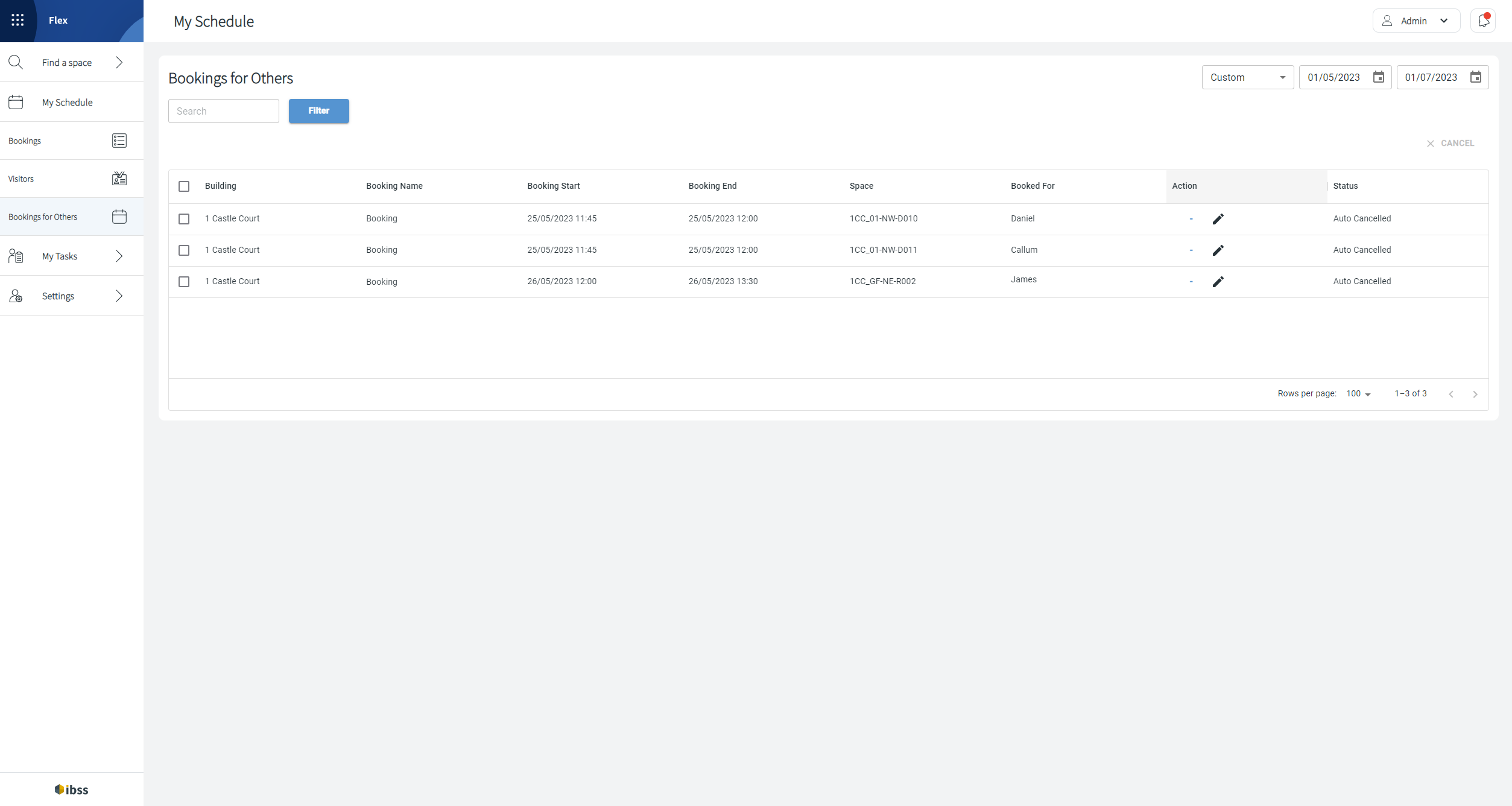
- The Booking for Others page under Schedule in the main menu will list bookings that you have made for others.
Make sure that you take into account the access permissions of the user who you are booking for:
- With the Book On Behalf For permission, you are able to book for anyone in your organisation.
- Depending on what space access permissions your organisation has defined for your role and user, you will only see the spaces in search results where you are allowed to book.
- Remember that your permissions to access certain spaces will differ from the ones of other users. Check where the user is allowed to book prior to booking for them. They won't see the booking that you created for them if they don't have access to the space.
⚠️ If you are a delegate of another user to book on their behalf, the booking and booking management process is slightly different. Read more about it here:
The Bookings for Others page is a simple table page for you to:
- View the list of existing bookings and open them.
- Edit a booking after opening it.
- Cancel a booking from the main view or after opening it.